
Override the default VRAM cap on Apple Silicon to allocate more unified memory to GPU tasks like running local LLMs.
Apple Silicon’s unified memory architecture shares the same high-speed RAM between CPU and GPU — no discrete GPU required. This is why you can run large language models locally on a MacBook without a separate graphics card.
The Default VRAM Cap
macOS doesn’t expose 100% of your RAM as VRAM. On a 64GB machine, the Metal GPU driver typically caps VRAM at ~75–80% of total RAM — roughly 51GB out of 64GB:
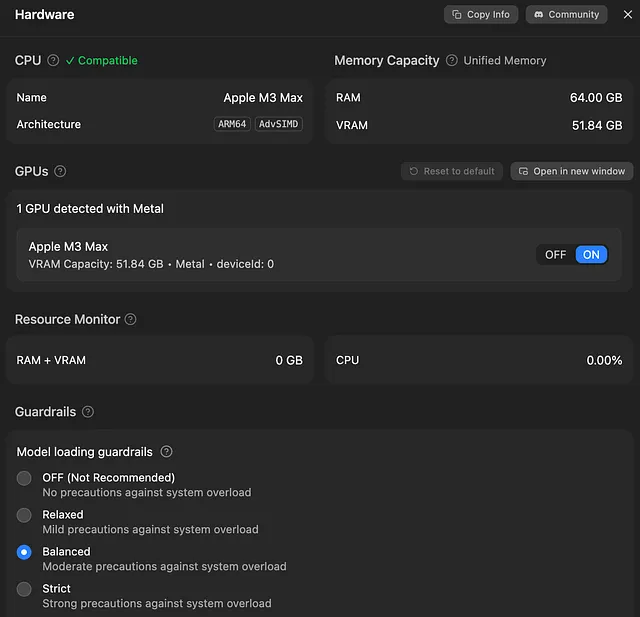
That ~12GB gap is reserved for macOS and background processes. Reasonable for general use — but if your machine is dedicated to LLM inference, that’s 12GB of wasted context window or a smaller quantization than necessary.
Override the VRAM Limit
One sysctl command adjusts the GPU wired memory limit at runtime:
sudo sysctl iogpu.wired_limit_mb=61440