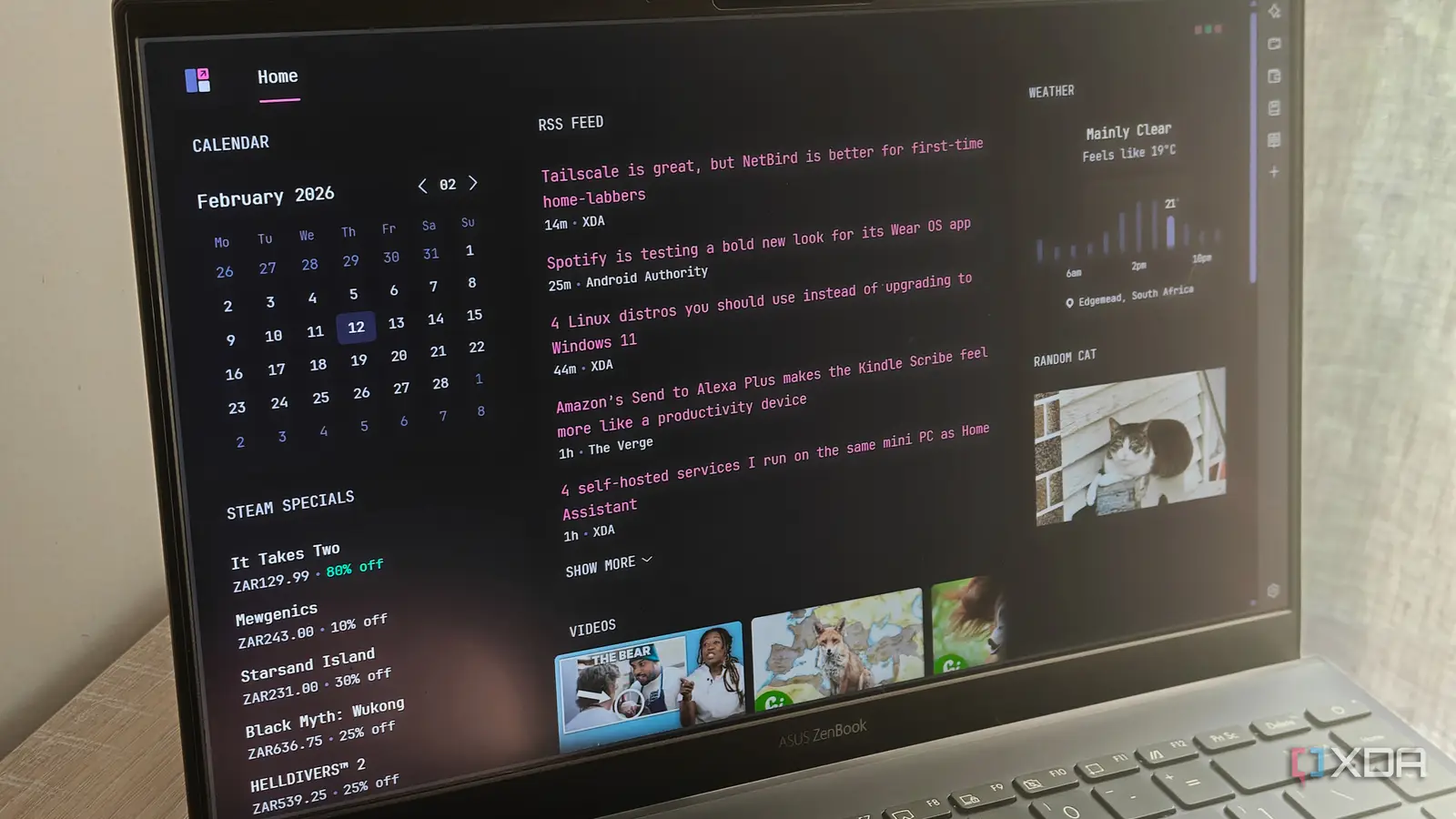
Glance is a beautiful, self-hosted dashboard that I've already set as my web browser's home page
Depending on which web browser you use, the homepage could either be rather boring or have some sort of functional elements like shortcuts or frequently visited pages. More often than not, users tend to ignore these elements and proceed to open the webpages of their choice. But, what if I told you that I found a dashboard overlay that not only displays a ton of useful information, but can also be customized completely based on your requirements? Well, it's called Glance, and it's a pity I didn't discover it earlier.
Glance is a self-hosted dashboard that's completely customizable. It displays the calendar, weather information, RSS feeds, videos from your favorite YouTubers, shortcuts to popular Twitch streamers, and the latest news stories -- all in a beautifully organized and curated way. While you can access the dashboard anytime using your browser, I've set it as my browser's homepage so that I get all the latest updates every time I launch my browser -- all in one place. Here's how you, too, can take advantage of Glance to supercharge your browser's homepage.
I love the clean layout
Everything's beautifully organized
The moment you launch Glance, you'll see how aesthetically pleasing it looks. Everything from the color palette for the background to the font looks gorgeous. I love having all my screens in dark mode, so the black and gray background paired with the subtle yellow text looks on point. I also like the layout with the widgets arranged on either side and the center of the screen displaying the news feed and other text-based information.
The calendar sits on the left, along with your RSS feed, while the right houses the weather widget and the stock ticker widget. Note that all of these are customizable elements. Below the news feed in the center, you'll find the links and thumbnails to your favorite YouTubers' latest videos. The same applies to Twitch channels, too. Finally, there's a list of popular posts from any subreddits of your choice, followed by the newest releases of popular open-source apps and software. Now, this seems like a lot of information. But, it's all arranged in a manner that doesn't look very overwhelming. Moreover, the widgets are dynamic. You can hover over the weather widget for hourly updates, and the Twitch widget shows when a streamer is live, which is a lovely touch.
Saves both time and resources
I don't have to open 10 tabs

The biggest upside of Glance, in my opinion, is the fact that you don't have to open a myriad of tabs as soon as you fire up the browser window. So, my routine up until now, while browsing the web, was that I would launch the browser and open YouTube, Reddit, Google News, etc., in multiple tabs, and go over each of them individually. This took up a lot of time, since I would end up getting caught in a scrolling loop on one of the sites.
Glance solves that by displaying all the important information as soon as I open my browser. I can quickly see if my favorite creators have uploaded a new video, and if they have, launch it from the Glance page itself instead of having to open YouTube and then navigate to the subscriptions tab. The same applies to news and posts in the subreddits I follow. Not only am I saving time, but I'm also saving my PC's resources by not opening several tabs at once. I only need to open the article I want to read or the video I want to watch by clicking on it.
Self-hosted and completely customizable
Add your own websites and channels

You can install Glance using Docker (that's the preferred route) or perform a manual binary installation using an EXE file on Windows. Once you do that, Glance can be accessed via any browser of your choice by entering http://localhost:808 in the address bar. Once you check out Glance for the first time, you'll get a brief idea of what's where. That's where the glance.yml file comes into the picture.
Inside the text file, you can make changes to the elements displayed inside Glance. For instance, you can change the starting day of the week in the calendar widget and set the location for the weather widget to display accurate metrics. You can also add and delete any YouTube or Twitch channels from the list, and link to RSS feeds or sources that Glance should display on the dashboard. Every single element is customizable, so you can tailor it as per your requirements. You can also add your own pages and widgets. Once done, you can set Glance as your browser's homepage by setting http://localhost:808 as the starting page every time the browser is launched.
So much information in one place
I love information-dense pages and dashboards, and that's exactly why I instantly fell in love with Glance. It certainly has a ton of useful data, but it doesn't feel like an information overload since the contents are all well spaced out. It almost feels like your phone's home screen, where you have multiple widgets catering to different needs, and you can launch apps directly via shortcuts. The best part is that it's free, and there are no ads to annoy you.
Glance is a self-hosted dashboard that displays lots of useful information inside your browser window.