# If you learn one thing about AI this year, make it Skills
Canonical: https://social-archive.org/adegette/92XHhw5NFe
Original URL: https://theailaunchpad.substack.com/p/if-you-learn-one-thing-about-ai-this
Author: Kenny Liao
Platform: substack
## Content
I strongly believe that Skills (aka Claude skills or Agent Skills) are THE most important thing to invest your time in right now. In fact, I’d go further to say that Skills are the new basic unit of knowledge work. It’s a big claim... but I’m hoping to convince you to at least see how Skills help you build incredible leverage in your work. I imagine Skills like in the Matrix movie where Neo can learn anything by just loading the relevant Skill directly into his brain. • • Skills teach your AI agent how you do things and provide the tools to do it. Your expertise, preferences, process, success criteria, etc. Write it once, and your agent follows it every time you need it. I made a video on Skills a while back that turned out to be my most-viewed video on my YouTube channel. That was a more comprehensive, beginner-to-expert deep dive where I cover things like how Skills are different from custom commands, MCPs, subagents and more. Check it out if you want to dive deeper. But this Substack post is going to be more of a “quick start”. I’m going to cover: • What Skills are • Why they’re a big deal • How to build your first one • What’s Next This is also the first issue in a series. Future issues will get into progressively more advanced (and powerful) topics like testing, evals, best practices, self-improving: all the things that will turn your Claude into a high performing employee or teammate. In the end, I’ll even share my process for packaging and selling skills so you can productize your expertise. So be sure to subscribe to follow the next issues in the series. Thanks for reading The AI Launchpad! Subscribe for free to receive new posts and support my work. 1. What are Skills?At a minimum, a Skill is a markdown file (SKILL.md) that teaches your AI agent how to handle a specific task. Similar to onboarding a new employee or coworker, you don’t explain your processes from scratch every time they sit down. You give them documentation and training videos. You have 1-on-1s where you explain requirements and answer their questions. They learn how to format reports and what Slack channels to share findings in, what data tables to query for customer transactions, what your approval workflow looks like. They reference the materials, and over time they just know it. Skills work much in the same way. Instead of repeating yourself every conversation, you write it down once and this becomes your training manual or standard operating procedure for your agent to follow. Here’s what a simple skill looks like: --- name: weekly-report description: Generate a weekly status report in our team's format. Use when asked to generate a "weekly report", "weekly status update", or to "update the team". --- # Weekly Status Report ## What This Skill Does Generate a formatted weekly status report from my notes. ## Report Format - **Header:** Week of [date], [team name] - **Completed:** Bullet list of finished items - **In Progress:** Bullet list with % completion - **Blockers:** Any issues needing attention - **Next Week:** Top 3 priorities ## Rules - Keep each bullet to one line - Lead with the most impactful items - Flag blockers in bold That’s it. A name, a description, and instructions. The section at the top of the file is called the frontmatter and at the very least should have a name and description that explains what the skill is and when it should be used. For the full list of frontmatter settings, see the docs. You can always manually invoke the skill by running /weekly-report. But the goal here is to make Claude more capable and autonomous, and to use the skill automatically when a task requires it. The frontmatter is the only part of the Skill that is initially loaded into Claude’s context. Claude must decide if and when to use the Skill, based on the conversation and the frontmatter. So it’s important to give a clear name and description of what the Skill does and when it should be used. When you first start a new session, Claude sees something like this: Claude, bud, you have the following skills: - Skill X name: weekly-report description: Generate a weekly status report in our team's format. Use when asked to generate a "weekly report", "weekly status update", or to "update the team". - Skill Y name: competitor-research description: ... - Skill Z name: youtube-thumbnail description: ...Then when you say something like “hey, let’s send our weekly update to the team”, Claude will see that there’s a relevant Skill. Only once Claude decides it wants to use the Skill will it read the full SKILL.md. This process of only revealing information as necessary is called progressive disclosure, and it makes Skills highly context efficient. So you can safely load dozens or even hundreds of Skills into Claude without killing the context window. Especially now with Claude’s new 1M token context window: that’s a lot of Skills! Once Claude invokes the Skill, it knows exactly what do and how you want things done. No re-explaining. You can probably see now that Skills are conceptually very simple. So simple in fact that you sometimes see people scoff: “they’re just prompts”. It’s true, a Skill in the most basic form with just a SKILL.md, is no different from a prompt. But you can package additional context, data, and tools into a Skill: see my nanobanana Skill for a more complex example. So then what’s the big deal about Skills? 2. Why Skills are a big dealI use Agent Skills for my work everyday. A lot of those Skills I’ve shared through my open-source marketplace and even sell some of my production-ready Skills. I’m also a content creator in the AI space and so I see how people use AI at the bleeding edge. In general, knowledge workers are doing less of the process part of their work. The best engineers aren’t writing code, they spend most of their time in planning mode drafting up a spec that the agent then implements in code. Marketers aren’t drafting copy from a blank page, they’re reviewing and refining what an agent produces. The work is shifting. It used to be that knowledge work meant performing the task: building the spreadsheet, writing the draft, running the analysis. Now that AI agents can handle the execution, the real work is getting the agent to understand your process, your standards, your judgment. And that’s where skills come in. They’re the vehicle for knowledge transfer. They are the download mechanism that Neo uses to learn Kung Fu. Without Skills, every AI conversation starts at zero. You’re the expert, the AI is the blank slate, and you spend half your time just getting it up to speed before you can get to the real work. With skills, you’ve already done that work. Your agent knows your requirements, critical context, your workflows. You go from prompt to deliverable. But here’s what makes skills more than just “better prompts.” A prompt is instructions. A Skill bundles everything needed to accomplish a task: the instructions, yes, but also the context, reference materials, data, and even scripts or tools to produce the output. That’s a meaningful difference. It means a Skill can be tested end-to-end. It can be measured. It can be improved over time. I have 50+ skills in my personal setup right now. They handle everything from helping me write my newsletter issues (like this one) to reviewing code to planning YouTube videos. Each one captures a workflow I used to do manually. Skills can compound too by building on each other. I shared the nanobanana Skill above that Claude can use to generate any kind of image using the Google Gemini API. Well the nanobanana Skill can be used by a youtube-thumbnail Skill that specifically teaches Claude how to generate high converting youtube thumbnails. So rather than rebuilding the instructions and tools, the youtube-thumbnail Skill just points Claude to the nanobanana Skill to do the actual image generation, while the youtube-thumbnail Skill takes care of specifying design best practices, style guidelines, etc. So once you build a few Skills, you can build more complex, long-running Skills that build on other Skills. This has gradually led me to spending less time on process and more time on decisions that need my judgement, creativity, and strategy. And that’s where the real leverage is and where the AI compounding happens. To be fair, skills aren’t magic. They require upfront investment. You have to think through your process clearly enough to write it down. And the first version of any skill is usually... not great. But that’s fine. You iterate and the skill gets better over time and eventually you start compounding skills as described above. (More on that in the next issue.) If you want to master Skills quickly: I’m running a small, live Skills Workshop on April 7. You’ll get a quick crash course on Skills, ask me questions directly, build a real skill with my help, and walk away with a process for improving it over time. It’s limited to 10 people so everyone gets real attention. → Reserve Your Seat — April 7 Skills Workshop 10 seats, registration closes March 31 3. Build Your First SkillCreating skills is surprisingly simple because Claude can help you through the hard part. We’ll use the official skill-creator Skill from Anthropic. This is not only the easiest, but also the most effective way to create high quality Skills because it incorporates all of the best practices that Anthropic extracts from the millions of daily Skill invocations through Claude. So you should default to creating new Skills using Claude with skill-creator instead of manually writing them out. • Install skill-creator You can run this command in Claude Code: /plugin install skill-creator@claude-plugins-officialOr, go through the Claude Code interactive menu by running /plugin, and searching for skill-creator in the Discover tab. Once you’ve installed the plugin, restart Claude Code. • Pick a task you repeat Think about something you do several times a week and that follows a pattern. E.g. summarizing meeting notes in a specific format, creating a Linear issue from a template, performing competitor research. The best first skill is something repetitive and well-defined. Don’t try to reproduce your most complex workflow on day one. My recommendation is to always start with one simple component task, ensure a high quality output, and then growing the skill to take on more from there. • Prompt Claude to create the skill Now you can simply describe to Claude what you want the new Skill to accomplish. If you already have a well-defined workflow or process, you can share the complete details/step-by-step with Claude. This will ensure that Claude follows your exact way of doing something. For example, Use skill-creator to create a skill that does competitor research for my youtube video ideas. When I share a new youtube video idea, the skill should use the `youtube-data` skill to search for well-performing videos on the exact topic. Only look at channels with between 5K to 100K subscribers and videos that have been posted in the last 6 months. For the top 10 videos, gather the following data and save it to a separate markdown report for each video. 1. Channel name and ID 2. Video title and description 3. View, like, and comment counts 4. All comments 5. Video transcript Then performs the following analyses across all videos: - Sentiment analysis on comments including the top/most common things viewers liked, disliked, and questions they had across all videos - Gap analysis across videos based on questions/pain points ... Ask me any questions you have to ensure the requirements are clear before we start.This is an example where I know exactly what I want because that’s already what I do manually. But if you don’t know or don’t care as much about the specific process, only the outputs, then you can also just give Claude a general ask: I want a skill that helps me write high quality hooks for different content types like youtube videos and my newsletter. Ask me any questions you have or additional context you need.In general, it’s good to define these essentials: • What it does — the task or workflow it automates • When to use it — what triggers it (user says X, working on Y, etc.) • What good output looks like — format, tone, structure, examples The more concrete you are about what bad looks like (anti-patterns) and what good looks like (examples or references), the better the skill turns out. Vague prompts like “help me write posts” produce generic skills. Honestly, providing real examples of the output you want are the biggest lever when it comes to Skills. You can also specify whether you want the Skill to be available across all projects (user level) or only the current project/folder you’re working in. I generally recommend creating all of your Skills at the user level unless the Skill will only be used by that one project. Here’s a simplified version of a skill I use every time I create content: a hook generator. This is the skill that writes my opening hooks for YouTube videos, newsletter issues, social posts, etc. The opening is where most content loses people, so getting it right matters. You can check out the full version which is more complex (platform-specific references, voice matching, and more), but this stripped-down version will get you started and is genuinely useful on its own. --- name: hook description: Create retention-optimized opening hooks for any content type. Use when designing a video intro, newsletter opening, or social post hook. --- # Hook Generator ## Core Principle The opening should extend the curiosity created by your title, not repeat it. The audience already clicked because of the title — the hook needs to make them even MORE interested. ## Hook Patterns ### Pattern A: Preview / Teaser Show a brief glimpse of the payoff before diving into content. Creates: "I need to know how to do that!" Best for: Tutorials, how-to guides, educational content. ### Pattern B: Intrigue Escalation Add surprising context that makes the title's promise MORE compelling. Creates: "This is even better than I expected!" Best for: Expert content, reveals, insider knowledge. ### Pattern C: Problem Amplification Validate why the audience needs this by amplifying the problem. Creates: "I need to fix this now!" Best for: Problem-solving content, mistake-avoidance. ### Pattern D: Immediate Value Jump straight into delivering. No preamble, just results. Creates: "This is exactly what I came for!" Best for: Tactical content, quick tips, high-value insights. ## What to Avoid These patterns kill retention: - **Repeating the title**: "Today we're going to look at..." — they already know. Give them something new. - **Greeting before hooking**: "Hey everyone, welcome back!" — hook first, greet after. - **Meandering start**: "So I was browsing the other day and..." — get to the point. - **Over-explaining**: "Before we start, let me give you some background..." — delays the payoff. ## Checklist - [ ] Does this avoid repeating the title? - [ ] Does this make the audience MORE curious than the title alone? - [ ] Is this directly connected to what the title promised? - [ ] Does the hook come before any greeting or intro? ## Rules - Always generate 2-3 hook options using different patterns - The hook should work in the first 10 seconds (video) or first 2 sentences (written) - Tease the payoff, don't deliver it upfront Notice how this goes beyond formatting rules. It encodes a principle (extend curiosity, don’t repeat it), proven patterns with clear use cases, anti-patterns to avoid, and a quality checklist. This is all expertise required to produce high quality hooks and more importantly, follows exactly what I want from every hook I use. Now any time the triggers in the frontmatter are detected by Claude, it will invoke the Skill. That’s your first skill. You just turned a repeatable process into a reusable asset. 4. What’s NextThis is just the starting point. Once you have a few skills running, you’ll start noticing things: some skills don’t trigger reliably, others need more context, and the best ones evolve as your workflows change. Next issue, I’ll cover how to improve skills over time — how to make skills reliably trigger, what to do when a skill’s output isn’t quite right, and the feedback loop that makes skills get better over time. If you want to master Skills quickly: I’m running a small, live Skills Workshop on April 7. You’ll get a quick crash course on Skills, ask me questions directly, build a real skill with my help, and walk away with a process for improving it over time. It’s limited to 10 people so everyone gets real attention. → Reserve Your Seat — April 7 Skills Workshop 10 seats, registration closes March 31 If you want to try it on your own: pick one task you repeat this week and turn it into a skill. You’ll be surprised how much of your process you can capture in a few paragraphs of markdown. P.S. Reply with a skill that would be MOST valuable to you! Maybe it’s a dream for now or maybe you’re already building it. I read every response, and the best ideas might show up in a future issue. Thanks for reading The AI Launchpad! Subscribe for free to receive new posts and support my work. --- I strongly believe that Skills (aka Claude skills or Agent Skills) are THE most important thing to invest your time in right now. In fact, I’d go further to say that
Skills are the new basic unit of knowledge work.
It’s a big claim... but I’m hoping to convince you to at least see how Skills help you build incredible leverage in your work.
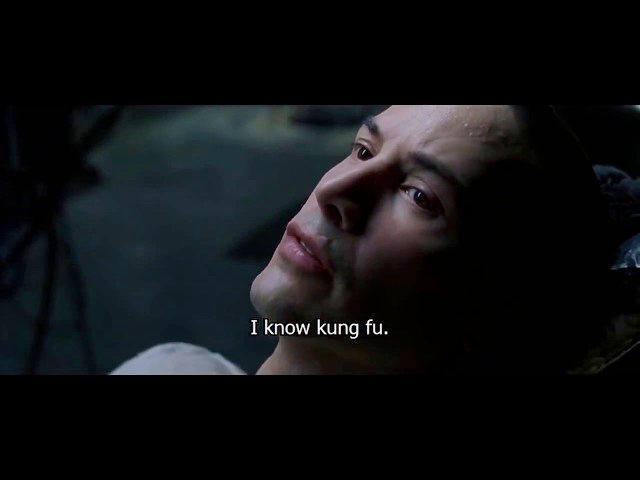
I imagine Skills like in the Matrix movie where Neo can learn anything by just loading the relevant Skill directly into his brain.
Skills teach your AI agent how you do things and provide the tools to do it. Your expertise, preferences, process, success criteria, etc. Write it once, and your agent follows it every time you need it.
I made a video on Skills a while back that turned out to be my most-viewed video on my YouTube channel. That was a more comprehensive, beginner-to-expert deep dive where I cover things like how Skills are different from custom commands, MCPs, subagents and more. Check it out if you want to dive deeper.
But this Substack post is going to be more of a “quick start”. I’m going to cover:
What Skills are
Why they’re a big deal
How to build your first one
What’s Next
This is also the first issue in a series. Future issues will get into progressively more advanced (and powerful) topics like testing, evals, best practices, self-improving: all the things that will turn your Claude into a high performing employee or teammate.
In the end, I’ll even share my process for packaging and selling skills so you can productize your expertise. So be sure to subscribe to follow the next issues in the series.
1. What are Skills?
At a minimum, a Skill is a markdown file (SKILL.md) that teaches your AI agent how to handle a specific task.
Similar to onboarding a new employee or coworker, you don’t explain your processes from scratch every time they sit down. You give them documentation and training videos. You have 1-on-1s where you explain requirements and answer their questions. They learn how to format reports and what Slack channels to share findings in, what data tables to query for customer transactions, what your approval workflow looks like. They reference the materials, and over time they just know it.
Skills work much in the same way. Instead of repeating yourself every conversation, you write it down once and this becomes your training manual or standard operating procedure for your agent to follow.
Here’s what a simple skill looks like:
--- name: weekly-report description: Generate a weekly status report in our team's format. Use when asked to generate a "weekly report", "weekly status update", or to "update the team". --- # Weekly Status Report ## What This Skill Does Generate a formatted weekly status report from my notes. ## Report Format - **Header:** Week of [date], [team name] - **Completed:** Bullet list of finished items - **In Progress:** Bullet list with % completion - **Blockers:** Any issues needing attention - **Next Week:** Top 3 priorities ## Rules - Keep each bullet to one line - Lead with the most impactful items - Flag blockers in bold
That’s it. A name, a description, and instructions.
The section at the top of the file is called the frontmatter and at the very least should have a name and description that explains what the skill is and when it should be used. For the full list of frontmatter settings, see the docs.
You can always manually invoke the skill by running /weekly-report. But the goal here is to make Claude more capable and autonomous, and to use the skill automatically when a task requires it.
The frontmatter is the only part of the Skill that is initially loaded into Claude’s context. Claude must decide if and when to use the Skill, based on the conversation and the frontmatter. So it’s important to give a clear name and description of what the Skill does and when it should be used.
When you first start a new session, Claude sees something like this:
Claude, bud, you have the following skills: - Skill X name: weekly-report description: Generate a weekly status report in our team's format. Use when asked to generate a "weekly report", "weekly status update", or to "update the team". - Skill Y name: competitor-research description: ... - Skill Z name: youtube-thumbnail description: ...
Then when you say something like “hey, let’s send our weekly update to the team”, Claude will see that there’s a relevant Skill. Only once Claude decides it wants to use the Skill will it read the full SKILL.md. This process of only revealing information as necessary is called progressive disclosure, and it makes Skills highly context efficient.
So you can safely load dozens or even hundreds of Skills into Claude without killing the context window. Especially now with Claude’s new 1M token context window: that’s a lot of Skills!
Once Claude invokes the Skill, it knows exactly what do and how you want things done. No re-explaining.
You can probably see now that Skills are conceptually very simple. So simple in fact that you sometimes see people scoff: “they’re just prompts”.
It’s true, a Skill in the most basic form with just a SKILL.md, is no different from a prompt. But you can package additional context, data, and tools into a Skill: see my nanobanana Skill for a more complex example.
So then what’s the big deal about Skills?
2. Why Skills are a big deal
I use Agent Skills for my work everyday. A lot of those Skills I’ve shared through my open-source marketplace and even sell some of my production-ready Skills. I’m also a content creator in the AI space and so I see how people use AI at the bleeding edge.
In general, knowledge workers are doing less of the process part of their work.
The best engineers aren’t writing code, they spend most of their time in planning mode drafting up a spec that the agent then implements in code. Marketers aren’t drafting copy from a blank page, they’re reviewing and refining what an agent produces.
The work is shifting. It used to be that knowledge work meant performing the task: building the spreadsheet, writing the draft, running the analysis. Now that AI agents can handle the execution, the real work is getting the agent to understand your process, your standards, your judgment.
And that’s where skills come in. They’re the vehicle for knowledge transfer. They are the download mechanism that Neo uses to learn Kung Fu.
Without Skills, every AI conversation starts at zero. You’re the expert, the AI is the blank slate, and you spend half your time just getting it up to speed before you can get to the real work.
With skills, you’ve already done that work. Your agent knows your requirements, critical context, your workflows. You go from prompt to deliverable.
But here’s what makes skills more than just “better prompts.”
A prompt is instructions. A Skill bundles everything needed to accomplish a task: the instructions, yes, but also the context, reference materials, data, and even scripts or tools to produce the output. That’s a meaningful difference. It means a Skill can be tested end-to-end. It can be measured. It can be improved over time.
I have 50+ skills in my personal setup right now. They handle everything from helping me write my newsletter issues (like this one) to reviewing code to planning YouTube videos. Each one captures a workflow I used to do manually.
Skills can compound too by building on each other. I shared the nanobanana Skill above that Claude can use to generate any kind of image using the Google Gemini API. Well the nanobanana Skill can be used by a youtube-thumbnail Skill that specifically teaches Claude how to generate high converting youtube thumbnails. So rather than rebuilding the instructions and tools, the youtube-thumbnail Skill just points Claude to the nanobanana Skill to do the actual image generation, while the youtube-thumbnail Skill takes care of specifying design best practices, style guidelines, etc.
So once you build a few Skills, you can build more complex, long-running Skills that build on other Skills.
This has gradually led me to spending less time on process and more time on decisions that need my judgement, creativity, and strategy. And that’s where the real leverage is and where the AI compounding happens.
To be fair, skills aren’t magic. They require upfront investment. You have to think through your process clearly enough to write it down. And the first version of any skill is usually... not great. But that’s fine. You iterate and the skill gets better over time and eventually you start compounding skills as described above. (More on that in the next issue.)
If you want to master Skills quickly: I’m running a small, live Skills Workshop on April 7. You’ll get a quick crash course on Skills, ask me questions directly, build a real skill with my help, and walk away with a process for improving it over time. It’s limited to 10 people so everyone gets real attention.
→ Reserve Your Seat — April 7 Skills Workshop
10 seats, registration closes March 31
3. Build Your First Skill
Creating skills is surprisingly simple because Claude can help you through the hard part. We’ll use the official skill-creator Skill from Anthropic.
This is not only the easiest, but also the most effective way to create high quality Skills because it incorporates all of the best practices that Anthropic extracts from the millions of daily Skill invocations through Claude.
So you should default to creating new Skills using Claude with skill-creator instead of manually writing them out.
Install skill-creator
You can run this command in Claude Code:
/plugin install skill-creator@claude-plugins-official
Or, go through the Claude Code interactive menu by running /plugin, and searching for skill-creator in the Discover tab.
Once you’ve installed the plugin, restart Claude Code.
Pick a task you repeat
Think about something you do several times a week and that follows a pattern. E.g. summarizing meeting notes in a specific format, creating a Linear issue from a template, performing competitor research.
The best first skill is something repetitive and well-defined. Don’t try to reproduce your most complex workflow on day one.
My recommendation is to always start with one simple component task, ensure a high quality output, and then growing the skill to take on more from there.
Prompt Claude to create the skill
Now you can simply describe to Claude what you want the new Skill to accomplish. If you already have a well-defined workflow or process, you can share the complete details/step-by-step with Claude. This will ensure that Claude follows your exact way of doing something. For example,
Use skill-creator to create a skill that does competitor research for my youtube video ideas. When I share a new youtube video idea, the skill should use the `youtube-data` skill to search for well-performing videos on the exact topic. Only look at channels with between 5K to 100K subscribers and videos that have been posted in the last 6 months. For the top 10 videos, gather the following data and save it to a separate markdown report for each video. 1. Channel name and ID 2. Video title and description 3. View, like, and comment counts 4. All comments 5. Video transcript Then performs the following analyses across all videos: - Sentiment analysis on comments including the top/most common things viewers liked, disliked, and questions they had across all videos - Gap analysis across videos based on questions/pain points ... Ask me any questions you have to ensure the requirements are clear before we start.
This is an example where I know exactly what I want because that’s already what I do manually.
But if you don’t know or don’t care as much about the specific process, only the outputs, then you can also just give Claude a general ask:
I want a skill that helps me write high quality hooks for different content types like youtube videos and my newsletter. Ask me any questions you have or additional context you need.
In general, it’s good to define these essentials:
What it does — the task or workflow it automates
When to use it — what triggers it (user says X, working on Y, etc.)
What good output looks like — format, tone, structure, examples
The more concrete you are about what bad looks like (anti-patterns) and what good looks like (examples or references), the better the skill turns out. Vague prompts like “help me write posts” produce generic skills.
Honestly, providing real examples of the output you want are the biggest lever when it comes to Skills.
You can also specify whether you want the Skill to be available across all projects (user level) or only the current project/folder you’re working in.
I generally recommend creating all of your Skills at the user level unless the Skill will only be used by that one project.
Here’s a simplified version of a skill I use every time I create content: a hook generator. This is the skill that writes my opening hooks for YouTube videos, newsletter issues, social posts, etc. The opening is where most content loses people, so getting it right matters. You can check out the full version which is more complex (platform-specific references, voice matching, and more), but this stripped-down version will get you started and is genuinely useful on its own.
--- name: hook description: Create retention-optimized opening hooks for any content type. Use when designing a video intro, newsletter opening, or social post hook. --- # Hook Generator ## Core Principle The opening should extend the curiosity created by your title, not repeat it. The audience already clicked because of the title — the hook needs to make them even MORE interested. ## Hook Patterns ### Pattern A: Preview / Teaser Show a brief glimpse of the payoff before diving into content. Creates: "I need to know how to do that!" Best for: Tutorials, how-to guides, educational content. ### Pattern B: Intrigue Escalation Add surprising context that makes the title's promise MORE compelling. Creates: "This is even better than I expected!" Best for: Expert content, reveals, insider knowledge. ### Pattern C: Problem Amplification Validate why the audience needs this by amplifying the problem. Creates: "I need to fix this now!" Best for: Problem-solving content, mistake-avoidance. ### Pattern D: Immediate Value Jump straight into delivering. No preamble, just results. Creates: "This is exactly what I came for!" Best for: Tactical content, quick tips, high-value insights. ## What to Avoid These patterns kill retention: - **Repeating the title**: "Today we're going to look at..." — they already know. Give them something new. - **Greeting before hooking**: "Hey everyone, welcome back!" — hook first, greet after. - **Meandering start**: "So I was browsing the other day and..." — get to the point. - **Over-explaining**: "Before we start, let me give you some background..." — delays the payoff. ## Checklist - [ ] Does this avoid repeating the title? - [ ] Does this make the audience MORE curious than the title alone? - [ ] Is this directly connected to what the title promised? - [ ] Does the hook come before any greeting or intro? ## Rules - Always generate 2-3 hook options using different patterns - The hook should work in the first 10 seconds (video) or first 2 sentences (written) - Tease the payoff, don't deliver it upfront
Notice how this goes beyond formatting rules. It encodes a principle (extend curiosity, don’t repeat it), proven patterns with clear use cases, anti-patterns to avoid, and a quality checklist. This is all expertise required to produce high quality hooks and more importantly, follows exactly what I want from every hook I use.
Now any time the triggers in the frontmatter are detected by Claude, it will invoke the Skill.
That’s your first skill. You just turned a repeatable process into a reusable asset.
4. What’s Next
This is just the starting point. Once you have a few skills running, you’ll start noticing things: some skills don’t trigger reliably, others need more context, and the best ones evolve as your workflows change.
Next issue, I’ll cover how to improve skills over time — how to make skills reliably trigger, what to do when a skill’s output isn’t quite right, and the feedback loop that makes skills get better over time.
If you want to master Skills quickly: I’m running a small, live Skills Workshop on April 7. You’ll get a quick crash course on Skills, ask me questions directly, build a real skill with my help, and walk away with a process for improving it over time. It’s limited to 10 people so everyone gets real attention.
→ Reserve Your Seat — April 7 Skills Workshop
10 seats, registration closes March 31
If you want to try it on your own: pick one task you repeat this week and turn it into a skill. You’ll be surprised how much of your process you can capture in a few paragraphs of markdown.
P.S. Reply with a skill that would be MOST valuable to you! Maybe it’s a dream for now or maybe you’re already building it. I read every response, and the best ideas might show up in a future issue.